Paygrama: a payment, drawn from the inside
Paygrama is a free lab that shows, message by message, what happens in a card payment, Pix, chargeback, MED, Open Finance and account opening. For people new to the field, for product, engineering and support teams, and for anyone who has ever wondered why a purchase was declined.
Payments are invisible
You tap your card, the terminal beeps and says "approved". For the buyer, that's it. Behind it, in less than a second, four or five companies exchanged messages, a bank decided whether to trust you, and a fee was split among players you didn't know existed. Days later, the merchant receives less than they sold, on a date that depends on the kind of purchase.
Almost nobody sees the whole path. The customer sees the terminal. The merchant sees the statement. Support sees the complaint. Engineering sees its own system's logs. Product sees the approval rate. Each one sees a piece, and conversations between them tend to get stuck exactly where the pieces meet.
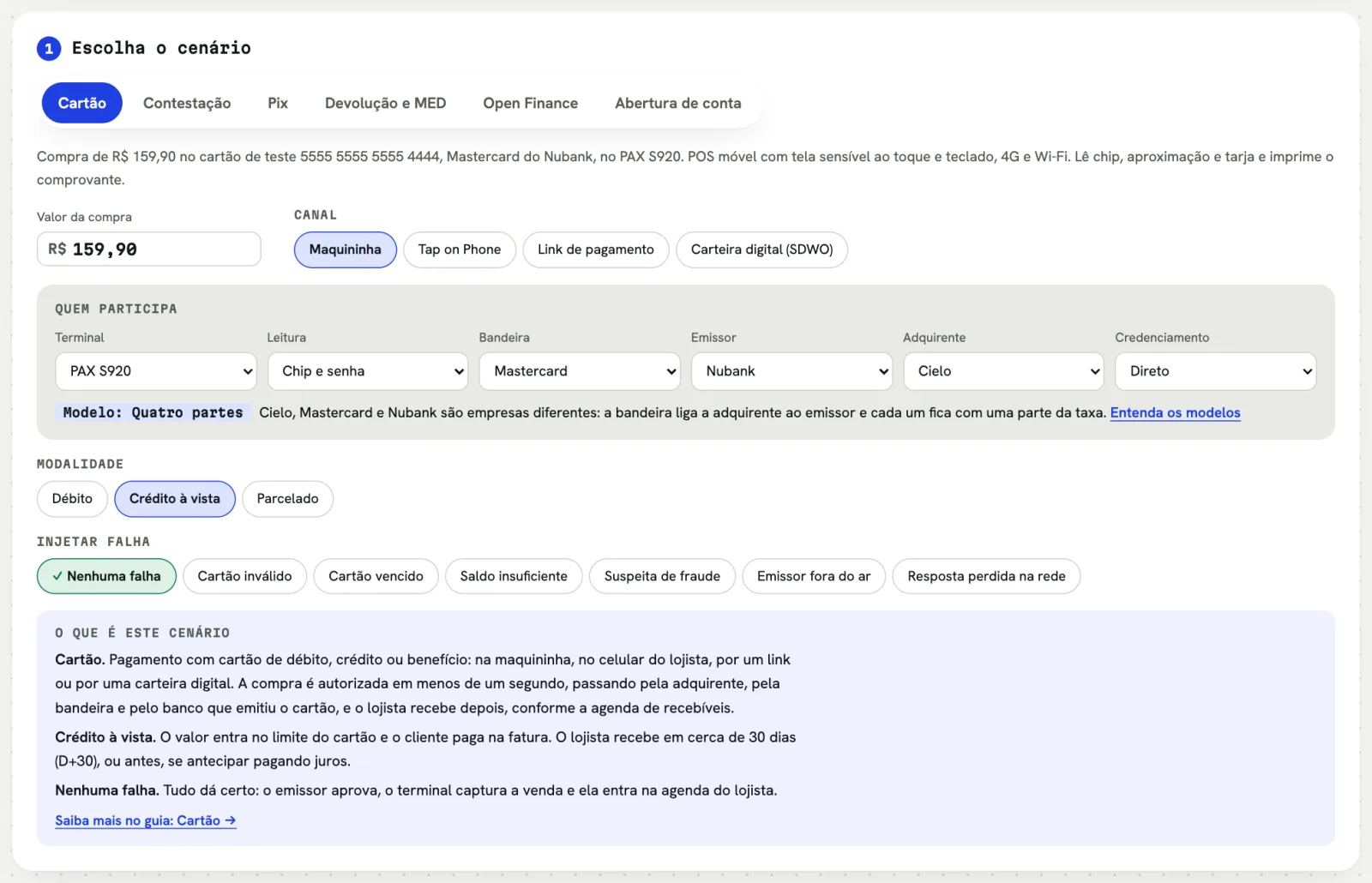
Paygrama is a lab for seeing the whole path. You pick a payment, trigger a failure if you want, and follow every message between the participants: who talks to whom, how long it takes, what goes inside the message, where the money goes and what the official rule for that step is. The lab is in Portuguese.
The questions it answers
The lab covers card payments, chargebacks, Pix (Brazil's instant payments), refunds and MED, Open Finance and account opening. More than the list of flows, what matters are the questions it helps answer.
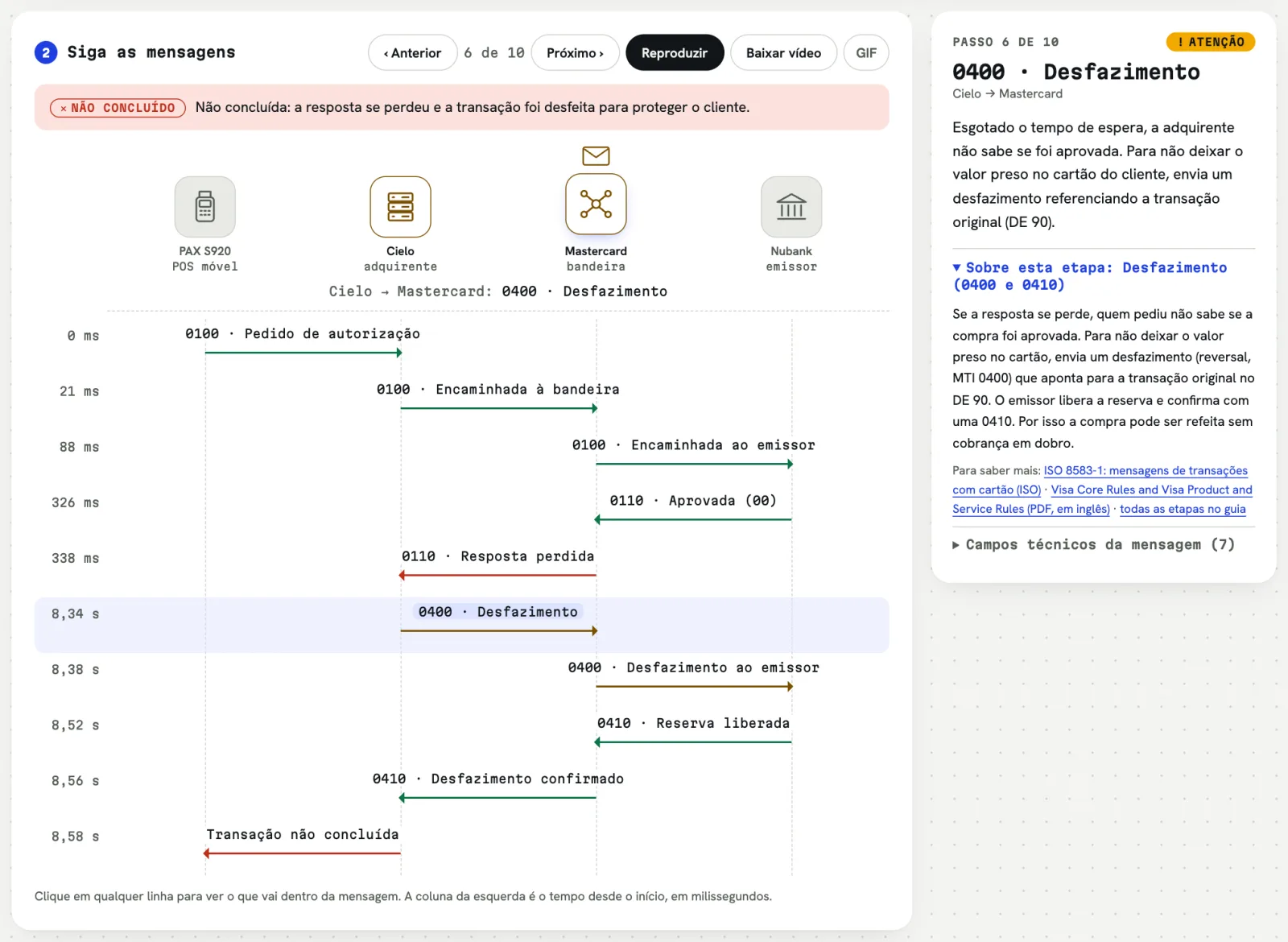
"Why was my purchase declined if I had credit?" A decline can come from different places. An invalid card number is stopped by the acquirer itself, without even reaching the bank. Suspected fraud is the issuer's call. When a bank is down, the card network answers on its behalf. In the lab, you see where the "no" came from and the code that traveled back, like 51 for insufficient funds.
"Was I charged twice?" When the bank's answer gets lost on the way, the terminal doesn't know whether the purchase went through. So nobody pays twice, it asks to reverse the transaction. Watching that reversal happen explains, in seconds, one of the most common questions support gets.
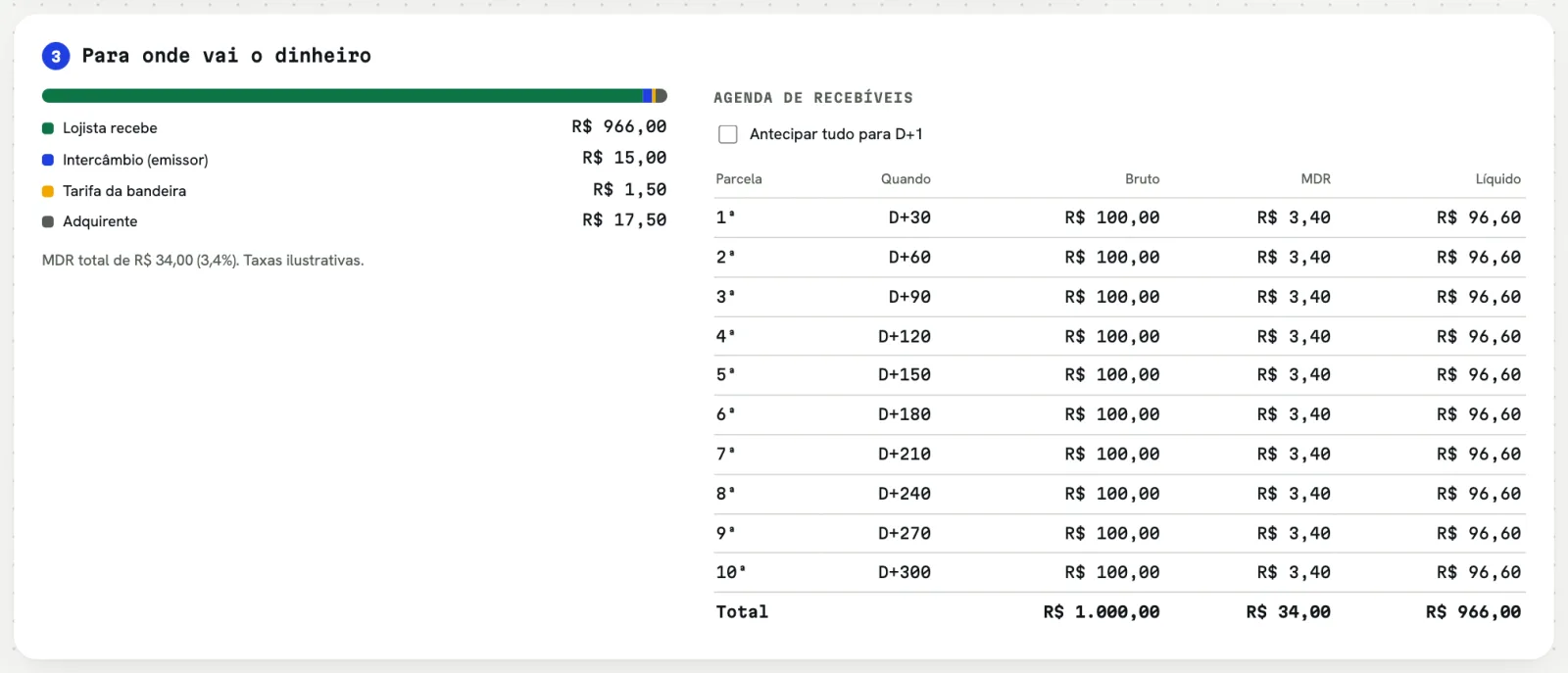
"How much does the merchant get, and when?" Type the sale amount and the lab shows the fee, each participant's share and the payout schedule, with and without early payment. A purchase in ten installments becomes ten payouts, one a month.
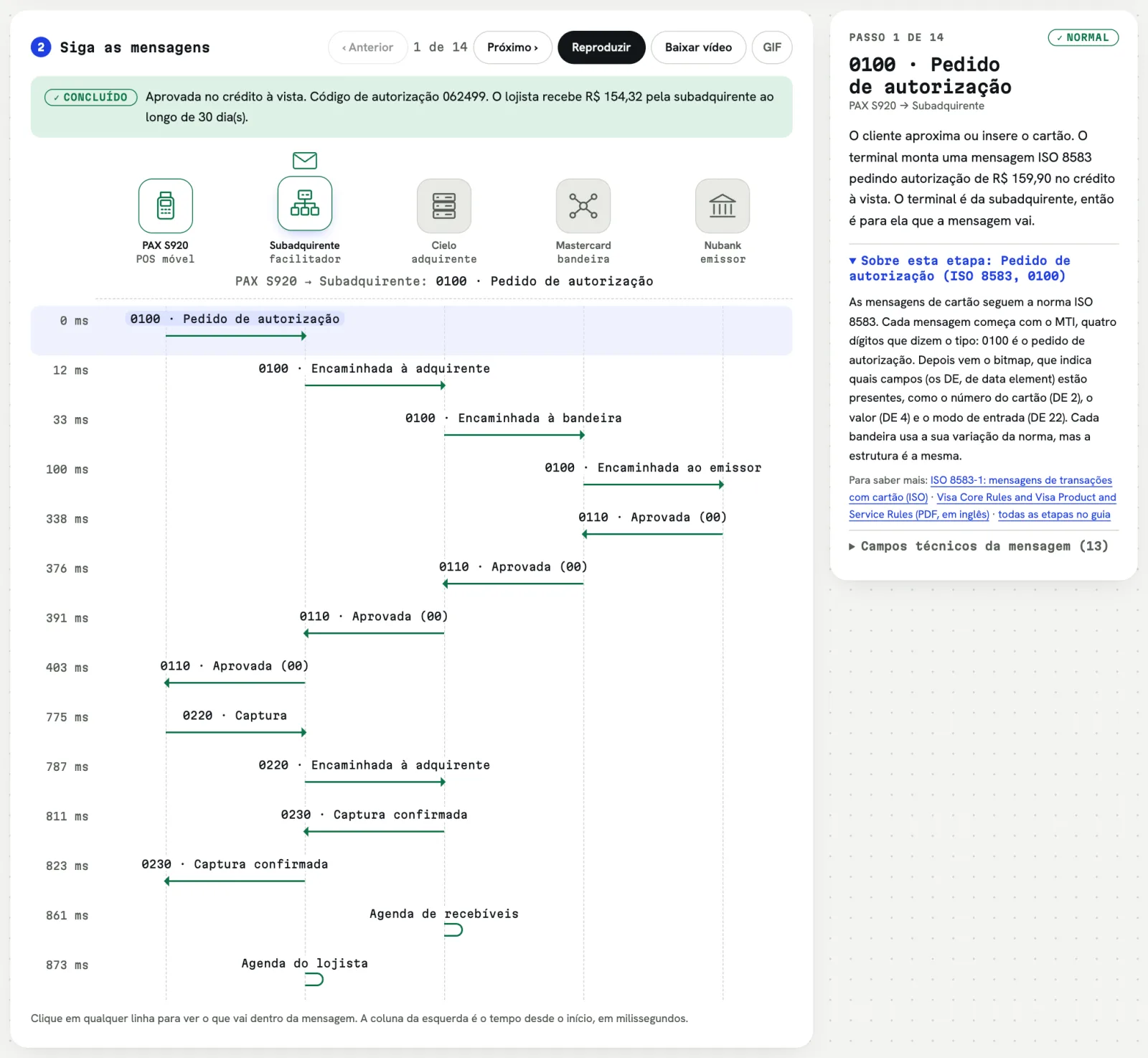
"Is a sub-acquirer worth it?" Choose the terminal, the card network, the customer's bank and the acquirer, and the lab shows the model that combination forms. The same R$ 100 purchase costs a different amount and is split differently in each one:
"I fell for a Pix scam. Now what?" The refund and MED tab shows the actual path: the claim at your bank, the notice to the receiving bank, the block on money still in the account and the return. It also shows why speed matters: only what hasn't been withdrawn comes back.
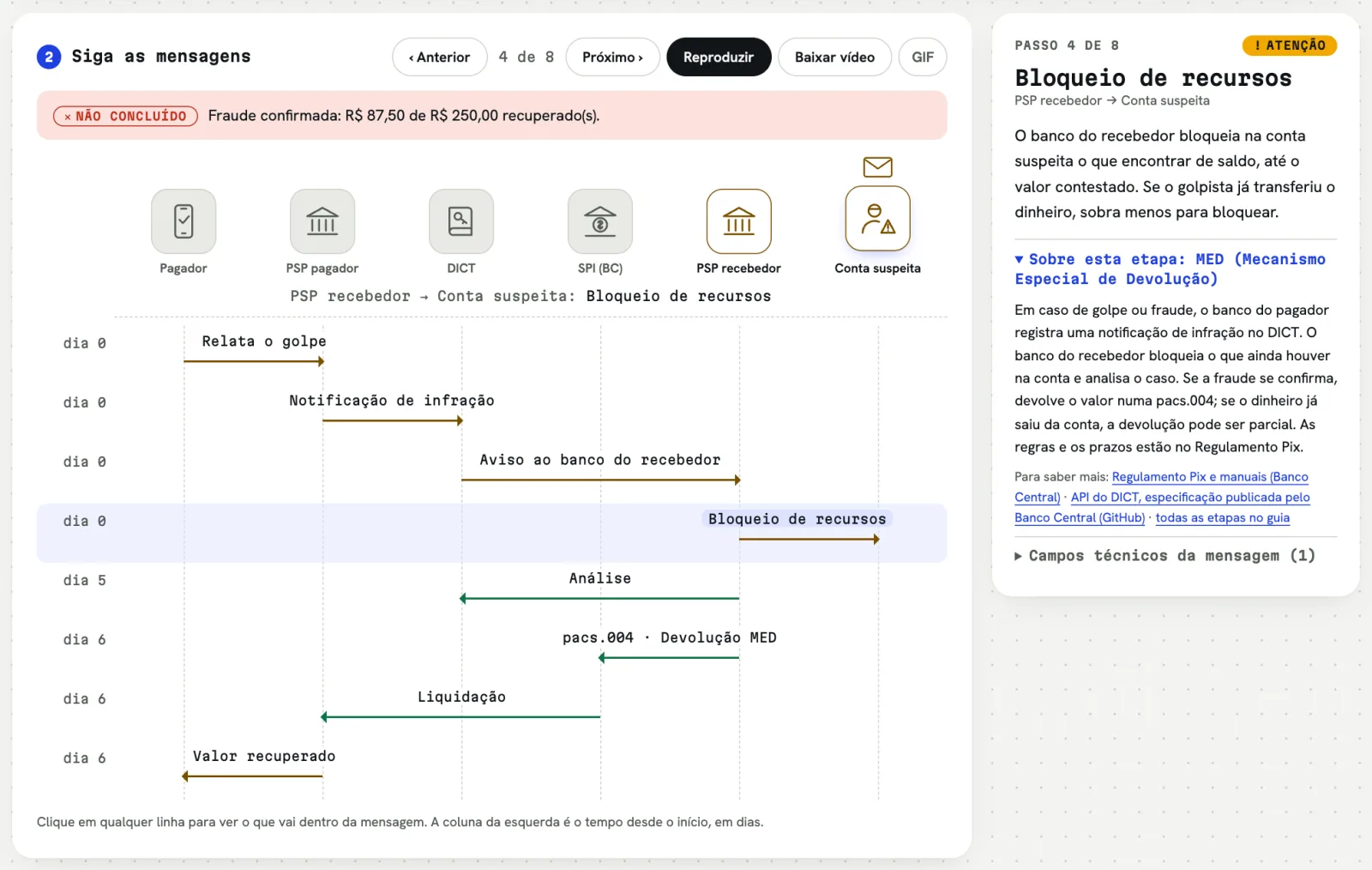
"The customer doesn't recognize the purchase. Does the merchant lose the money?" The chargeback tab shows it from start to finish: the customer's claim, the debit to the merchant, the defense with evidence and the decision, which changes with the kind of purchase.
"What happens when I let an app see my bank data?" Open Finance shows the consent, the redirect, what is shared and for how long, plus a Pix started from another app.
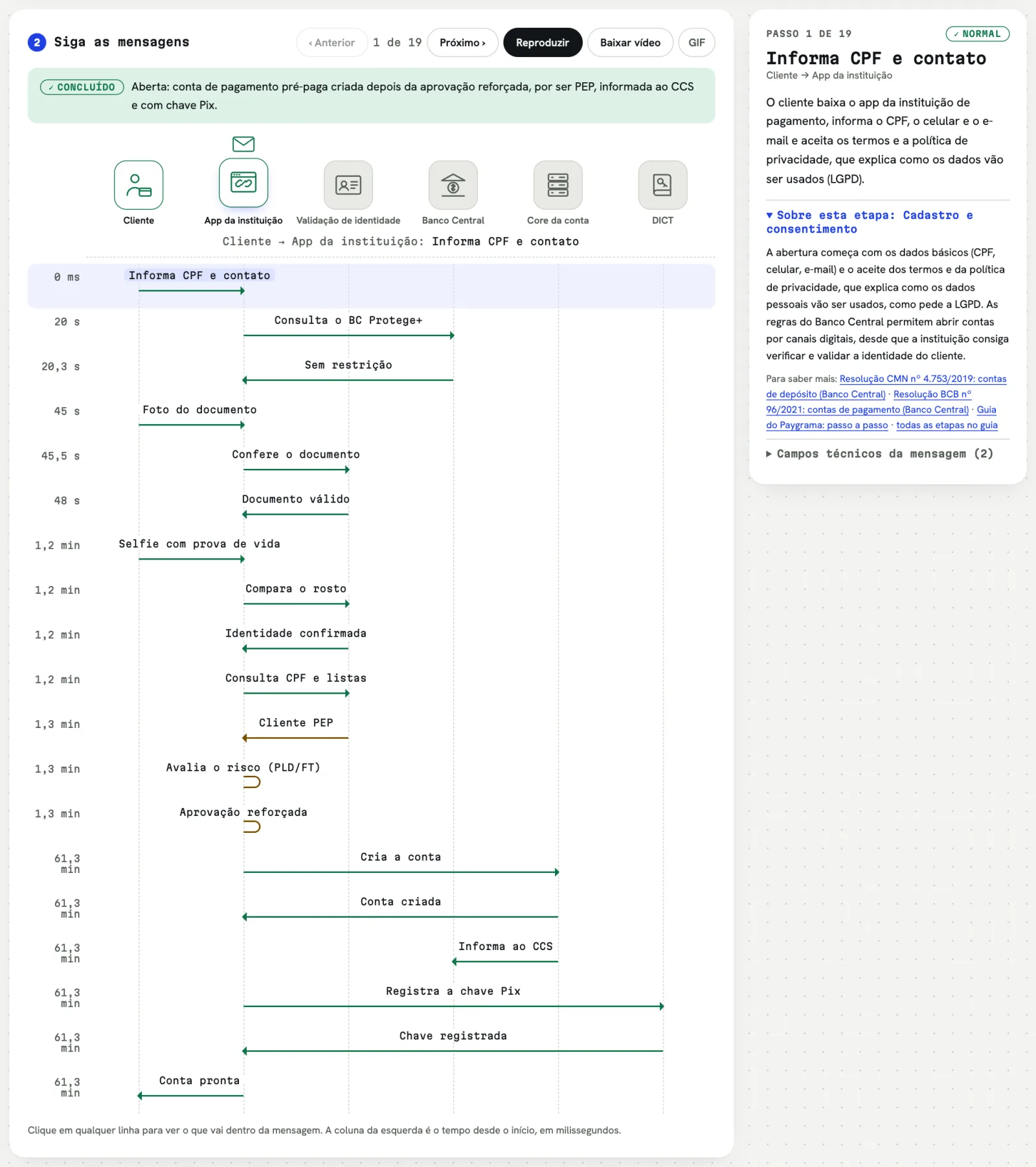
"Why does opening an account need a selfie, and sometimes take a while?" Account opening shows the document and face checks, the Central Bank's opt-out registry, anti-money-laundering checks and what changes for a politically exposed person.
Who it's for
- People new to payments. The map that used to take weeks of conversations and whiteboards is available from day one, to explore at your own pace.
- Product. Understanding where declines come from, what each model costs and where the customer experience can break helps you decide with more confidence.
- Engineering. Each step shows the message's technical fields, the timings and the failures that are hard to reproduce in a test environment, like a lost response or an issuer that's down.
- Support and operations. Explaining why a purchase was declined, why a refund takes time or how MED works gets easier with the flow on screen.
- Leadership and business. How the money is split and how the models differ become visible without reading a specification.
- Students and the curious. Payments are infrastructure everyone uses every day and almost no one sees. The lab is a way to look inside.
How to use it day to day
A few ways that work well:
- When onboarding new people, as a script: start with an approved purchase, then the failures, then chargebacks and Pix.
- To explain an incident, reproducing the closest case and showing where the flow broke.
- In support training, with the questions customers ask most.
- To discuss a product decision, comparing models and channels side by side, like terminal, Tap on Phone, payment link and digital wallet.
- To send to someone, downloading the flow as a video and dropping it into a chat or a presentation.
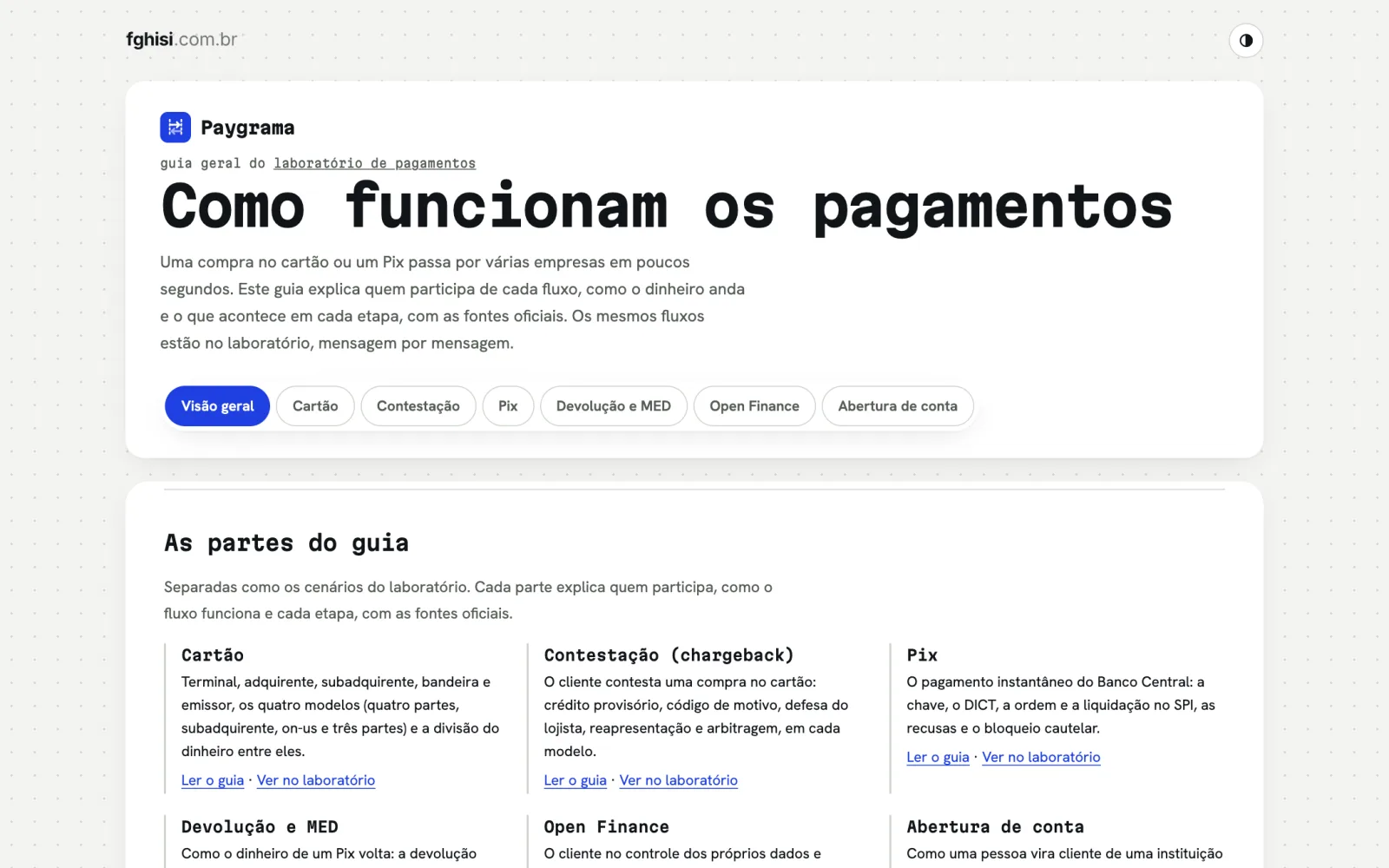
Next to the lab there is a general payments guide, split into the same parts, with figures, a glossary and sources, to read calmly after seeing the flow.
Reliable, but illustrative
A tool that teaches can't teach things wrong. So every step has an "About this step" block, with the explanation and a link to the official source: the card message standards, the Pix Regulation, Central Bank resolutions, the card networks' rules and the Open Finance Brasil specifications. What couldn't be confirmed was left out, or went in with a note to check the current rule.
Amounts, timings and fees are illustrative, to show the logic, not the numbers of any specific company. Brands appear only as names, to explain each one's role.
How it was made
Paygrama was built with the help of AI, using Claude Code, just like amardoar and Soccer Deal. What the AI didn't replace were the years of working in payments that defined what to show, and checking every fact against its source.
Next steps
I want to keep adding flows and failures, and I'm thinking about how to bring the same cases to people building payment systems, so they can test their own systems. If you work in the field and miss a flow, or found something to fix, let me know.
The lab is at fghisi.com.br/paygrama, free and with no sign-up.
Did you like this article?
Comments
No comments yet. How about being the first?